
Yes indeed – let’s do it!
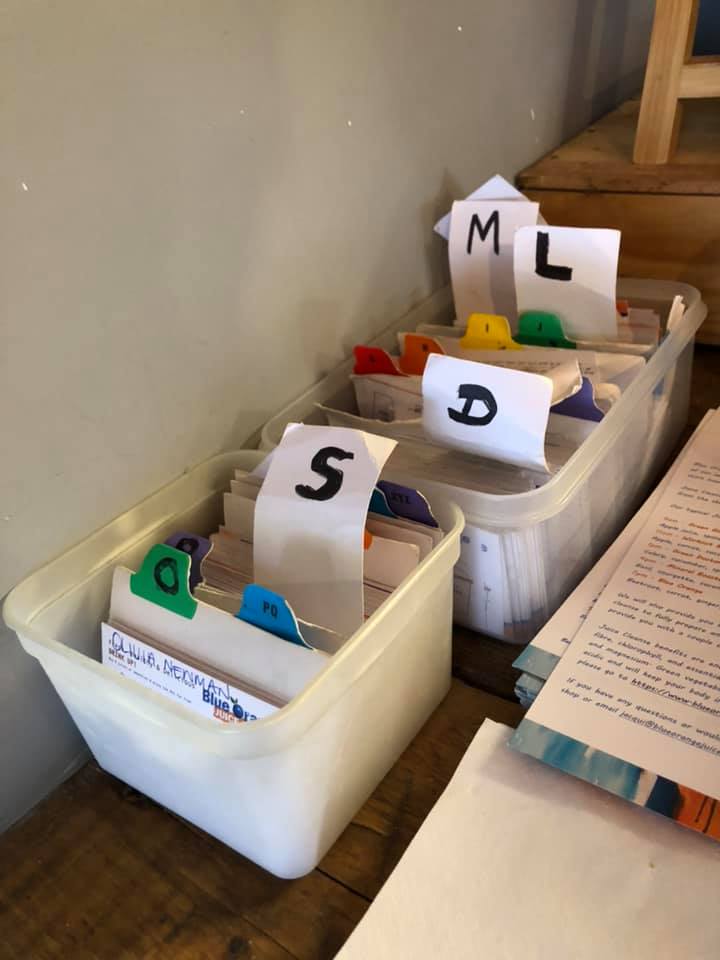
As well us putting documents into a filing cabinet in case you need them one day, probably in alphabetical order, there are TWO other types of filing which are worth knowing about, and these are filing things by due date, and by context.
FILING BY DUE DATE
The reason you would do this is that it’s quicker to have them ready for you in date order, and as things become urgent they come to the top so you’re not going to miss them. The snag is that if you want to find them and you don’t know what date they are, it can mean some rummaging – but if you knowyou won’t need it until a certain date it’s a great way to file things. I use it for hotel bookings and conference agendas – I just put them in my file in date order, I take pages out and use them as they become current, so then when the date comes around for each job, it is at the front.
When I had an A4 paper desk diary I used to put all the future-based papers just loose in the diary, but it wasn’t very portable and now that my diary is electronic this is no longer an option, so I have a separate file for just the time-related filing of bookings, agendas, extra notes for courses I’m running, everything that’s tied to a date. I guess I could scan it all in and then attach it to events in my google calendar, but it’s quicker just to bung it all into my Date Order Folder, and if it’s quicker it saves me time, obviously, but also I’m more likely to keep using the system.
So it’s a great system for events that have a specific date, but it’s also good for two other things. First is REPEATING items – suppose you want to remember to change the oil in your car every six months, or back up the files on your laptop every three months – you could put the documentation, maybe the phone number of the car mechanic and the agreed price, or the computer settings that you can never remember, you’d put them three or six months ahead into the rotating file so they come up when the date is due.
You could of course put a repeating item in your calendar, but if there is paperwork involved then where do you put that? Rather than have to dig it out of the filing cabinetevery time you might find it quicker to have it in date order so THERE it is when you need it.
The other time when a rotating file is useful is when you are delegating work and people have said they’ll do something for you, and you want to check it’s done. You get a date from them, but how to remember to follow up when that date comes around?
Again you could put a note in your diary, but if there is paperwork involved, you could simply put a date in the corner and put it in the right place in the file, so that when it comes to the top you are reminded to follow up that job. Then if they haven’t done it, and you get a second date from them, you can just move the paper back a bit in the file. They’ll never escape because the paper will keep coming to the top of the file when it’s due, and you can monitor lots and lots of these delegated tasks without any mental effort at all.
When I used to run a factory most of the tasks had a time horizon of less than a week, so I had a folder with dividers in it for Monday Tuesday Wednesday Thursday Friday, and if someone promised me something for say Thursday I just put a note in the file in that section, so when Thursday came around I could see all the promises I’d had from people for that day, and I could go and see all of them and find out if they had done what they’d promised. It was the simplest and quickest way I could find for monitoring all those short term tasks. Longer term ones went into my desk diary as I mentioned earlier, and would nowadays be organised by my date order ring file, which I still use to this day.
So the physical place you put them could be one of two options – first is my A4 ring file where I put everything in in date order. I write the date in the top right corner, so that when I file a new item it’s easy to leaf through the pages and find the right place to put it in. So if for example I have a conference on 12th January I leaf through until I find something dated maybe 7th January and maybe something dated 24th January, and the new one goes inbetween them. Then at the start of each week I can see what I’ve got coming up for me that week, and there they all are, at the front of my folder.
The classic proper way to file things for future dates is to have a filing cabinet with dividers for each month, and in front of the ‘month files’ you have files numbered one to 31 – these are for the current month, so if you want to file something for the 10thof this month you put it in the folder marked ten. If you want to file it for the tenth of NEXT month you just put it in the next month, in any position. Then, at the end of each month, you take all the papers out of the coming month and put them into the 1-31 section – and this gives you a useful planning preview of the coming month, how busy are you going to be? – and then the month folder goes to the back, so the 12 months rotate for ever.
I’ve seen this work really well for planned maintenance in a factory – if you need to get the motors checked once a year you put the page with the contractor’s details in the right month, a year from now, and you can’t possibly forget it when that month rolls around.
It’s quicker than putting it in your diary and then having to dig out the file – the file is already there. And your diary isn’t clogged up by routine stuff. If something has to be checked every six weeks you have a sign-off sheet with dates on for every 6 weeks, and the sheet just gets put into the next month’s folder once you’ve done this month’s check.
So that’s time-based filing described in some detail. Thanks for sticking with me! It’s great for events coming up, repeating tasks, and checking on things you’ve delegated, and you can do it with a ring folder in date order, or with months and 1-31 days in your filing cabinet. The question I’d like to ask is: how do you remember events and things you’ve delegated at the moment, and how do you organise repeating tasks at the moment, and would a system like this be the least labour-intensive way to help you to remember everything?
FILING BY CONTEXT
There’s one other approach to filing that I think is really interesting, and that’s filing by Context. It’s been adapted to digital form by apps like Omnifocus, (and in a simpler way by my free app JobsToDo, where you can use colours for each context – check it out on the app store!) but you can also do it using paper if you prefer,
For example, if you have several offices or several sites in you company, you might want to file papers by location, so that when you go to your Miami office you’ve got everything you need. Anything you need to check or follow up or discuss with the people there needs to be filed so that you just click Miami on your phone, or open the Miami part of your file, and there is everything. Within Miami it might be in date order, or just random, but the key thing is that when you are there you can just open that part of your system and be reminded of all the stuff you need to do while you’re there.
My two locations are “When I’m at home” and “When I’m travelling” and this is my number one filing question – when I add a job-to-do to my list the first thing I think is “Shall I do it while I’m travelling, or do I have to be at home in order to do it?” I’d rather get everything done while I’m on the road, staying in hotels, but if it requires my wife or my home computer or my office at home then it has to go on the When Home list.
There’s a free app called Any.Do which isn’t thrilling TBH but it does have the ability to set a reminder for any task, and within the Reminder you can select ‘Location Reminder’ so that when you are in that area (it knows where you are via GPS) an alarm pops up – maybe you are visiting your parents, or passing the supermarket it’ll pop up with a reminder to tell you to do something while you’re there – pretty cool I reckon.
Other contexts might be by person, or by customer, or by activity. So ‘by person’ would mean that when you meet with Dave you want to be able to access everything to do with him, and similarly if you have a small number of large customers you might want to be reminded of everything you need to discuss with that customer when you see them.
‘By Activity’ would mean that when you’re using PowerPoint you’d want to see all the jobs that need you to be in that mindset, or when you’re in your workshop what are the jobs. I have a list of things to glue when I’ve got the Araldite mixed, and I have a list of things like bonfires which I do when my wife isn’t around – for some reason she doesn’t approve of me setting fire to big piles of rubbish in our back garden, so that’s one of the things I do when she is out for a while. And I have a list of jobs that require a fast wifi connection, so if I have a bit of time in a hotel and there’s a good signal I check the wifi list and it reminds me to get those jobs done while I can.
Of course there is a need to remember to check these various lists, and if you have too many you’ll forget some of them. So they should ideally all be in one place – one app with all your various jobs to do lists, or with the ability to select “All tasks” and see everything. So even if I forget to look at the “When I see Paul list”, or I don’t happen to see him for a while, I’ll still see that task, for example: “Ask Paul to look after the dog when I’m on holiday” when I’m reviewing my list of everything I need to do. Imagine if it was only on my Paul list and so I forgot it!! It’s important every now and then to take stock of everything, maybe once a week, just look through all your jobs and make sure nothing is getting too urgent.
So what would be your main Contexts – how does your work divide up – and do you think you’d gain from being able to look at just those jobs-to-do that are relevant to that particular context?
I hope you liked my filing tips!
Onwards and upwards
CC


